 Comparison
Best Catering Cost Tracking Software for 2026: What Works?
Last Updated: October 26, 2026
Quick Summary
The best catering cost tracking software for 2026 connects recipes, purchasing, labor, and event pricing in one place, so you know a job's margin before you sign the contract. Our shortlist ranks Caterease, Perfect Venue, QuoteIQ, and HoneyBook by how deeply each handles food-cost and margin tracking rather than general event features.
- Caterease starts at $99/month and offers recipe-level costing tied to scheduling and staffing.
- Perfect Venue has a free tier but no routing or driver management tools.
- QuoteIQ starts at $29.99/month with strong mobile quoting but shallower recipe costing.
- Build a 12-month total-cost estimate covering subscription, processing fees, setup, and reconciliation labor.
- Run a variance report within 48 hours of each event and tag variances as price, quantity, or scope.
Table of Contents
- Why Catering Cost Tracking Software Decides Event Profitability in 2026
- Best Catering Cost Tracking Software for 2026: Quick Comparison Table
- 1. Caterease: Deep Menu Costing and Financial Reporting
- 2. Perfect Venue: Proposals, BEOs, and Margin Tracking in One Place
- 3. QuoteIQ: Instant Quotes and Mobile Cost Control
- 4. HoneyBook: Client-Facing Cost Management for Independent Caterers
- How a Catering Food Cost Calculator and Catering Cost Per Person Calculator Improve Accuracy
- Catering Inventory Management Software: Tracking Ingredient Costs and Portion Control
- Frequently Asked Questions
Why Catering Cost Tracking Software Decides Event Profitability in 2026
The best catering cost tracking software for in 2026 connects recipes, purchasing, labor, and event pricing in one place, so you know a job's margin before you sign the contract.

Cost tracking means recording every event expense, ingredients, portion control, labor, rentals, then comparing it against what you charged. When those numbers live in one system, event profitability stops being a guess.
The core problem: quoting and costing usually happen in different tools. If you are still weighing service formats, our guide to full-service versus drop-off catering explains how each model changes your cost base. For delivery-based models, see corporate catering versus restaurant delivery.
Best Catering Cost Tracking Software for 2026: Quick Comparison Table
Our shortlist is ranked by how deeply each platform handles food-cost and margin tracking rather than general event features. Advertised starting prices are the least useful number in a software decision, so the table also flags the cost factors that move the real monthly bill.
| Platform | Advertised Starting Price | Free Tier | Best For | Standout Cost Feature | Watch the Real Cost Of |
|---|---|---|---|---|---|
| Caterease | $99/month | No | Full-service caterers | Recipe and menu costing | Implementation and training time; per-user seats |
| Perfect Venue | $0/month | Yes | Restaurants and venues | Margin tracking per event | Payment processing fees; paid-tier feature gates |
| QuoteIQ | $29.99/month | No | Mobile-first operators | Instant quote generation | Add-on modules; user limits on lower tiers |
| HoneyBook | $29/month | No | Independent caterers | Expense tracking and reporting | Payment processing fees; template and automation limits |
Pricing reflects published starting plans at the time of writing and can change. Treat the starting price as an entry ticket, not a budget.
Total cost of ownership: the numbers the pricing pages hide
A monthly subscription is one line in the real cost of catering software. The others:
- Setup and onboarding. Configuration, menu and recipe import, and staff training are often billed as professional services or absorbed as your own labor. A complex operation can spend weeks loading recipe and yield data before the first accurate quote.
- Data migration. Moving historical events, client records, and ingredient lists from spreadsheets or a legacy system is usually a one-time project cost, sometimes quoted separately.
- Payment processing. Most platforms take a percentage per transaction. On high-ticket wedding and corporate events, processing fees can exceed the subscription itself.
Integrations decide whether cost tracking stays accurate
The cost-tracking value of any platform depends on data flow. Ask whether it connects to your accounting system, payroll provider, inventory or purchasing platform, and point-of-sale. With those connections, supplier invoices, labor hours, and sales flow in without duplicate entry, and reconciliation errors drop because there is one source of truth. Without them, your cost data is only as current as the last manual update, and stale cost data is worse than no data, because it looks authoritative.
Match the platform to your business model
Cost structure varies by service format, so the right platform does too. Drop-off operations care most about per-order food cost, packaging, and delivery routing. Full-service caterers need labor allocation by role and event, rentals, and on-site hours.
If you are still choosing which events to bid on, our roundup of catering services for business luncheons helps you match service style to budget.
1. Caterease: Deep Menu Costing and Financial Reporting
Caterease is the pick for caterers running complex, multi-day operations who need recipe-level costing tied to scheduling and staffing. Its menu and recipe costing module builds a dish from ingredient lines, then rolls those costs into event pricing automatically.
The trade-off is real: Caterease is the most expensive tool here, and smaller operators pay for scheduling and logistics features they may not use yet.
Pricing and Pros/Cons
Starting at $99/month on a subscription model, with no free tier.
Pros:
- Comprehensive recipe and menu costing
- Detailed financial reporting and analytics
- Staff and equipment management included
Cons:
- Highest entry price on this list
- More feature depth than a small operation needs
Best for: professional catering companies with full-scale operations. Skip if: you run a one-person operation and mainly need quotes and invoices.
2. Perfect Venue: Proposals, BEOs, and Margin Tracking in One Place
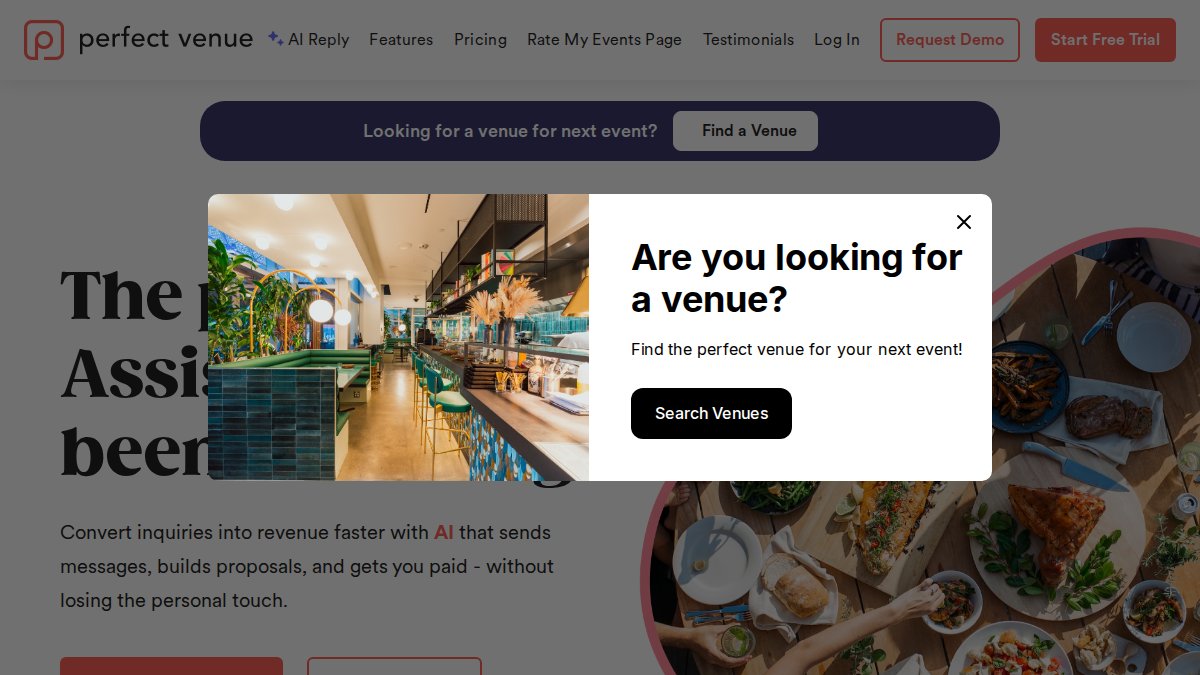
Perfect Venue suits restaurants and venues booking private events alongside regular service. It generates proposals, builds banquet event orders, and tracks menu margins in one workflow, removing the copy-paste step between quoting and kitchen prep.
The free tier makes it the easiest platform here to evaluate without a commitment. Where it falls short is delivery logistics: there are no routing or driver management tools, so high-volume drop-off operations will need a second system.
Pricing and Pros/Cons
Starts at $0/month with a free tier, then moves to paid subscription plans.
Pros:
- Free tier for testing the workflow
- Integrated BEO creation and payment processing
- Clean interface for fast quoting
Cons:
- No routing or driver management
- Less suited to pure off-site delivery models
Best for: restaurants and venues with an events calendar. Skip if: delivery routing is central to your operation.
3. QuoteIQ: Instant Quotes and Mobile Cost Control
QuoteIQ is built for caterers who quote on site, often from a phone, between tastings and site visits. Instant quote generation, client management, and automated invoicing all work on mobile, which matters when your office is a van.
The honest limitation: recipe costing is shallower than in culinary-specific platforms. If food-cost percentage per dish drives your pricing decisions, you will feel that gap. If speed of quoting wins you jobs, it is hard to beat.
Pricing and Pros/Cons
Starts at $29.99/month on a subscription, with no free tier.
Pros:
- Strong mobile functionality for field work
- Built by service business operators
- Automated invoicing and payment tracking
Cons:
- Limited deep recipe costing
- Fewer kitchen production tools
Best for: independent caterers who quote and manage clients on the move. Skip if: you need ingredient-level costing built into every quote.
4. HoneyBook: Client-Facing Cost Management for Independent Caterers
HoneyBook handles the client side of cost management well: customizable proposals and contracts, automated payment schedules, and expense tracking that feeds financial reporting. For a solo caterer or small team, it centralizes bookings without a steep learning curve.
What it does not do is cost a recipe. There is no ingredient-level costing or kitchen production planning, so food-cost accuracy depends on how you feed expense data in.
Pricing and Pros/Cons
Starting at $29/month on a subscription, with no free tier.
Pros:
- Excellent client-facing documents
- Affordable entry point for small businesses
- Automated payment reminders
Cons:
- Not built for recipe or portion costing
- Limited kitchen production logistics
Best for: independent caterers managing bookings and client communication. Skip if: food-cost accuracy per dish is your top priority.
How a Catering Food Cost Calculator and Catering Cost Per Person Calculator Improve Accuracy
A catering food cost calculator totals ingredient costs for a recipe or menu and divides them across expected guests to produce a cost per head. A catering cost per person calculator does the same at the event level, folding in labor, rentals, and transport alongside food. The useful part is the math underneath, because two caterers can run the same calculator and get different answers depending on how they treat yield, waste, and labor.
The formulas that actually drive accuracy
Start with recipe-level costing, then roll up to the event. The working formulas most practitioners use:
- Ingredient cost per portion = (purchase unit cost ÷ usable yield after trim and cooking loss) × portion weight
- Recipe food cost = sum of all ingredient cost per portion
- Food-cost percentage = recipe food cost ÷ menu selling price × 100
A quick worked example. A plated entrée uses 8 oz of raw protein at $6.40/lb. Trim and cooking loss run about 25%, so usable yield is 6 oz and the true portion cost is roughly $0.80, not the $0.53 a naive purchase-price division suggests. Across 200 guests and three protein courses, that error understates food cost by hundreds of dollars before labor enters the picture.
Yield and waste are where calculators drift
Purchase price is not portion cost. The gap is yield, trim loss on proteins, peel and trim on produce, evaporation and carryover in the kitchen. A calculator that ignores yield consistently understates cost, and the understatement compounds as event size grows. Build a yield factor into every high-value ingredient line and revisit it quarterly, because supplier specs and butcher trim change.
From estimate to actual: the reconciliation workflow
The accuracy gain that matters most is comparing quoted budgets with actual costs after each event. A practical workflow:
- Lock the estimated event cost at contract signing, food, labor, rentals, transport, overhead allocation.
- Capture actuals as they land: supplier invoices, payroll hours, rental receipts, fuel and tolls.
- Run a variance report within 48 hours of the event, line by line, not just in total.
- Tag each variance as price (supplier cost moved), quantity (more or less used than planned), or scope (client added or dropped items).
- Feed the price and quantity variances back into recipe and yield assumptions before the next quote.
Most operators find two or three variance categories explain the bulk of margin leakage, and fixing them is a process change, not a software purchase. The software's job is to make the variance visible fast enough to act on.
What to demand from the calculator inside your software
When you evaluate platforms, test the calculator against these requirements: ingredient-level costing with editable yield factors; labor rates that include burden, not just base wage; rentals and transport attachable to a specific event; a guaranteed-versus-expected guest count field; and a variance report comparing estimate to actual by line.
For a deeper walkthrough of the per-head math, read how to calculate catering cost per head, and once the numbers are set, browse our full catering menu to see how dishes price out in practice.
Catering Inventory Management Software: Tracking Ingredient Costs and Portion Control
Catering inventory management software tracks stock levels, purchasing, and usage so ingredient costs stay current and portion control holds across events. The benefit is variance control: when actual usage drifts from the recipe, you see it before it eats the margin.
In practice, that means counting high-value items weekly, updating supplier prices as invoices arrive, and standardizing portion sizes so two cooks produce the same plate cost. Software makes those three habits visible; it does not replace them. Skip the weekly count and your costing data is stale within a month.
Cost tracking only pays off when the numbers reflect how you actually cook and serve. At Shaka Braai, we bring more than 20 years of experience, family ownership, and whole hog and whole lamb roasts built on fresh, locally sourced ingredients to every event we cater.
Frequently Asked Questions
What is the best software for catering management?
The best platform depends on your operation size. Caterease suits professional caterers who need full event logistics and detailed menu costing, starting at $99 per month. Perfect Venue works well for restaurants and venues that want proposals, BEOs, and margin tracking with a free tier. QuoteIQ at $29.99 per month and HoneyBook at $29 per month fit smaller or mobile-first operations. Compare how each handles catering cost tracking against your event volume before committing.
Which catering software tracks food costs and profit margins?
Caterease and Perfect Venue both include integrated menu costing and margin tracking. Caterease provides detailed financial reporting and analytics across events, while Perfect Venue ties menu costing directly to proposals and BEOs. For lighter needs, HoneyBook tracks expenses and financial reporting but lacks recipe-level costing. If food-cost percentage and event profitability are your priority, choose a platform with built-in recipe costing rather than adding a separate catering food cost calculator.
How much does Caterease cost?
Caterease starts at $99 per month on a subscription model with no free tier. That entry price reflects its full-scale feature set: advanced event scheduling, comprehensive menu and recipe costing, detailed financial reporting, and staff and equipment management. Smaller caterers may find QuoteIQ at $29.99 per month or HoneyBook at $29 per month more affordable, but those tools offer less depth in culinary-specific costing and production logistics.
Can catering software track ingredient costs and inventory?
Yes, dedicated catering inventory management software tracks ingredient costs, stock levels, and portion control. Caterease includes recipe costing tied to ingredient prices, which helps you see cost variance between estimated and actual event costs. General tools like HoneyBook track expenses but not ingredient-level inventory. For accurate food-cost percentage, look for a platform that updates recipe costs when supplier prices change.
What features should I look for in catering cost tracking software?
Prioritize recipe and menu costing, ingredient-level inventory, and actual versus estimated cost reporting. Banquet event order generation and proposal tools keep quoting accurate. Check catering software pricing for hidden implementation or migration fees. Integrations with payment processing and accounting reduce manual data entry. If you run multiple business models, such as drop-off and full-service, confirm the platform handles cost tracking for each. Request a demo and test the cost-per-person calculator against a real event.